Machine
SAMPLE KING: a free online sampler with 4 banks and autotune
SAMPLE KING is the SAMPLER machine in EASY RAVE, a free sampler in your browser. You fill its 8 slots by dragging in audio files or recording your microphone, trim and pitch each sound, and play them from a 16-step grid. It has 4 banks of 8 slots, AUTOTUNE that snaps samples to your key, a CUTOFF filter and a BIT CRUSHER for all slots at once.
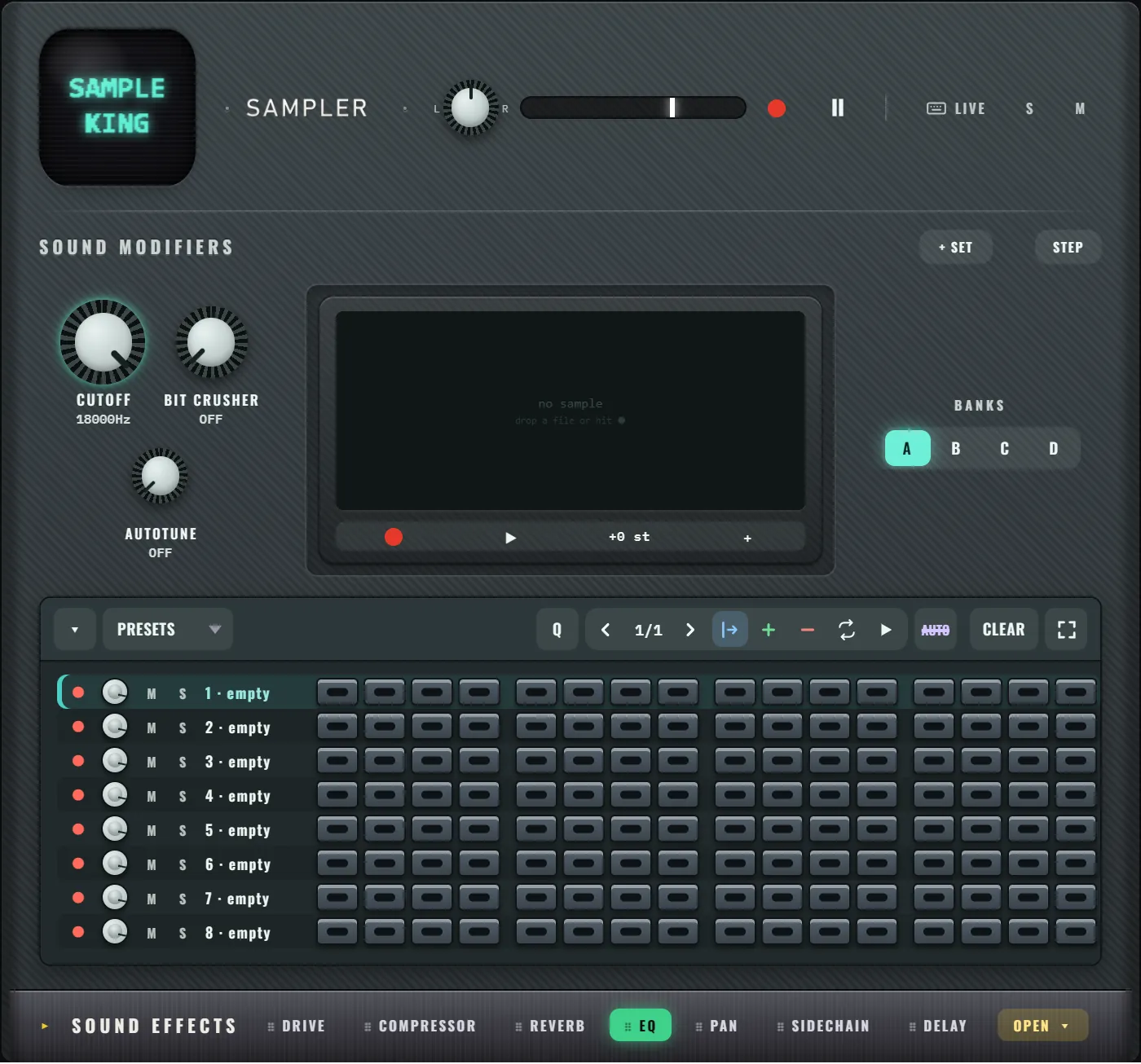
What is SAMPLE KING?
SAMPLE KING is the sampler in the EASY RAVE rack, labelled SAMPLER. A sampler plays back recorded sounds: a vocal chop, a hit from a record, your own voice, a door slam. SAMPLE KING starts empty, so the sounds are yours.
How do you load sounds into SAMPLE KING?
Each of the 8 rows is a slot. There are 3 ways to fill one:
- Drag and drop. Drag an audio file from your computer onto a row. Common formats such as WAV and MP3 work.
- Record a slot. Press the record button at the start of a row, make the sound, and press it again to stop (up to 6 seconds).
- Record a take. Press record on the sample screen to capture up to 12 seconds from your microphone, then drag the take onto any row.
Sounds are trimmed of silence at the start, and their level is evened out, so a quiet recording and a loud file play at a similar volume.
How do you edit a sample?
Click a row's name and the sample screen shows its waveform:
- Trim: drag the start or end of the waveform to keep only the part you want.
- ▶ previews the slot; click again to stop.
- Pitch: drag the +0 st value up or down to shift the sound in semitones (double-click to reset).
- + adds a second sample to the same slot: both play on the same hit, for layered sounds.
What are banks?
BANKS A, B, C and D are 4 separate sets of 8 slots, each with its own pattern. Switch bank to get 8 new sounds without losing the others: drums in A, vocal chops in B, effects in C.
What do the sound controls do?
These work on every slot at once:
| Control | What it does |
|---|---|
| CUTOFF | How open and bright the whole sampler is (hold V and turn the mouse wheel to sweep it) |
| BIT CRUSHER | Lowers the resolution of every slot, stepping from bit to bit |
| AUTOTUNE | Snaps each sample's pitch to the current key and scale. Turn it fully up for a hard, robotic tune. The original recording is kept |
How do you make a beat with samples?
- Fill a few slots: a kick, a snare, a hat and something odd (a voice, a clap, a found sound).
- Press CLEAR, then click steps on the grid: each row is a slot, each column a 16th note.
- Or press LIVE and play slots on keys 1 to 8, then ● REC to record a take.
- Try PRESETS for a starting rhythm: Four on the floor, Boom bap, Breakbeat, Half time, Rolling 16ths or Sparse.
Every slot has its own volume knob, M (mute) and S (solo), and the whole sampler has the same SOUND EFFECTS rack as every other machine. How to make lo-fi beats shows a sampler-friendly style.
Does SAMPLE KING keep my samples?
Yes. Your samples are stored in your browser on this computer, so they are still there when you come back. When you export a project file, the samples go inside it, so the song plays complete anywhere. Save, export and share explains the options.
Frequently asked questions
Is there a free online sampler?
Yes. SAMPLE KING in EASY RAVE is a free sampler that runs in your browser. Drag in audio files or record your microphone, trim and pitch the sounds, and sequence them on a 16-step grid with 4 banks of 8 slots.
Can I record my voice into SAMPLE KING?
Yes. Press the record button on a row to record up to 6 seconds straight into that slot, or record a take of up to 12 seconds on the sample screen and drag it onto a row. Your browser asks for microphone access first.
What does AUTOTUNE do on a sample?
AUTOTUNE snaps each sample's pitch to the key and scale you chose at the top of EASY RAVE. Turned fully up, it gives a hard, robotic tune. The original recording is kept, so you can always turn it back down.