Ways to play
Play a theremin with your webcam, free in your browser
A theremin is an instrument you play without touching it, by moving your hands near it. EASY RAVE's LEAD machine, THERE LEAD, has a CAM mode that turns your webcam into one. Move your hand closer to the camera for a higher note, raise or lower it for volume, pull it away to stop. It runs free in your browser and the video never leaves your computer.
What is a theremin?
The theremin is one of the first electronic instruments, invented by Leon Theremin around 1920. You play it without touching anything: one hand moves near an antenna to change the pitch, the other moves near a second antenna to change the volume. Its gliding, ghostly voice is the sound of old science fiction films.
Playing one well is famously hard, because there are no keys or frets to find the notes. That is also what makes it fun to try.
How do you play a theremin with a webcam?
EASY RAVE uses your webcam instead of antennas. On the LEAD machine (THERE LEAD), the CAM key tracks your hand with hand-tracking software that runs inside your browser:
| Your hand | What happens |
|---|---|
| Moves closer to the camera | The note goes higher |
| Moves away from the camera | The note goes lower |
| Goes up or down | The volume changes |
| Leaves the picture | The note stops |
The pitch range adapts to how far you can reach, so it works whether you sit close to the laptop or stand back.
How do you start the webcam theremin?
- Open EASY RAVE on a computer with a webcam, in a well-lit room.
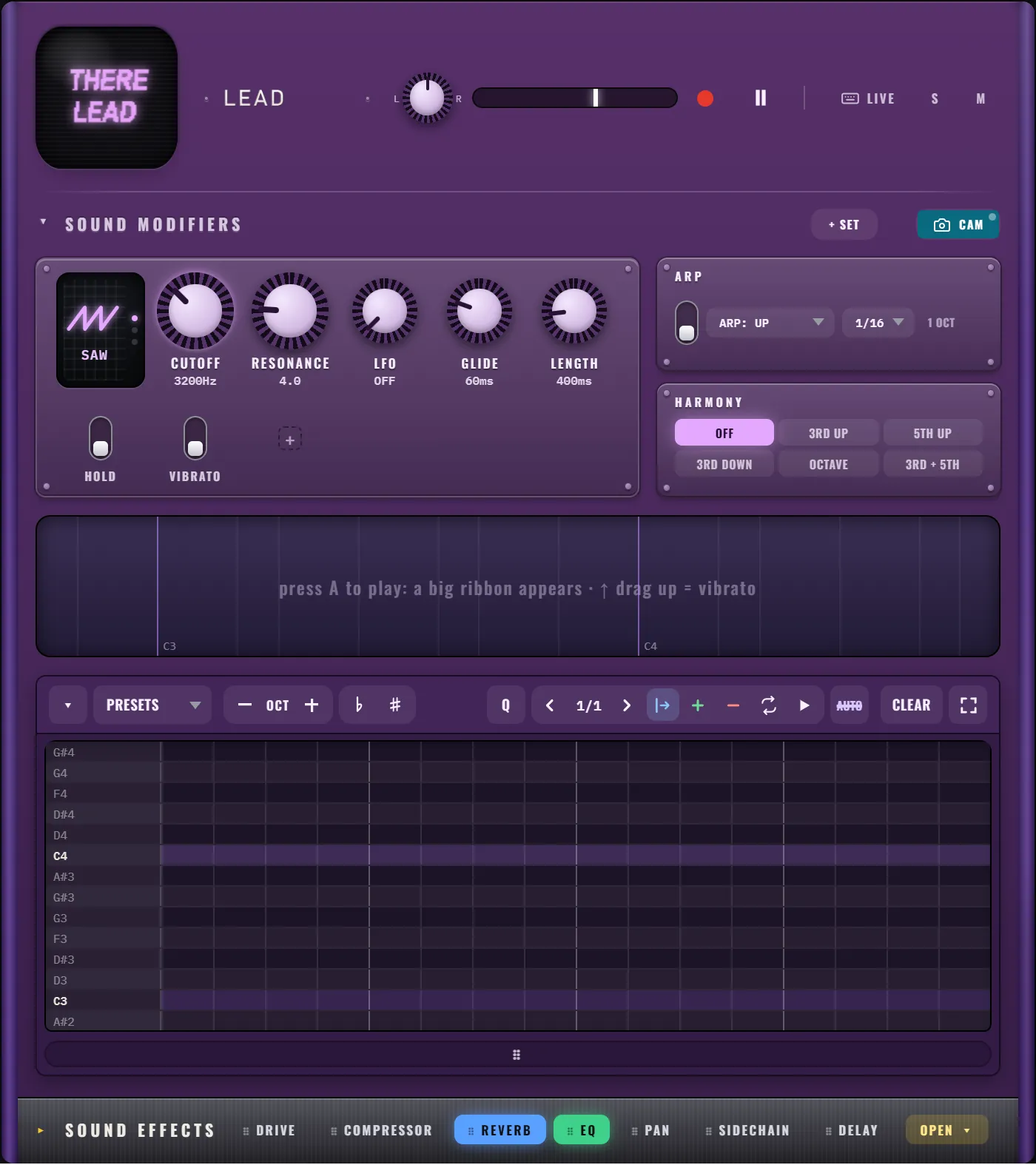
- Find LEAD (THERE LEAD) and press CAM on its tag line, above the sequencer.
- Allow camera access when the browser asks.
- Wait for the light on the CAM key: it blinks while starting, turns green when it is tracking your hand, amber when it falls back to tracking motion, and red if there is no picture or a problem.
- Hold one hand in front of the camera and move it slowly toward and away from the lens.
- If the range feels wrong, click the camera preview and EASY RAVE learns your reach again.
The first time, CAM downloads the hand-tracking model (about 10 MB), so it needs an internet connection once. After that it is kept by your browser.
Is the webcam theremin private?
Yes. The hand tracking runs in your browser on your own computer, and the video never leaves it. Nothing from the camera is uploaded or recorded. The only thing that reaches the sound engine is the position of your hand.
How do you make the theremin sound good?
- Pick a scale. Set ROOT and SCALE at the top of the screen to give the melody a key to sit in, and play a drum loop underneath so you have a beat to follow.
- Shape the tone. On THERE LEAD, click the wave screen to choose SAW, SQU or TRI. TRI is the softest and closest to a classic theremin.
- Add GLIDE. Turn GLIDE up so notes slide into each other like a real theremin.
- Add space. Open SOUND EFFECTS and add REVERB and a little DELAY.
- Add HARMONY. Set HARMONY to 3RD UP or 3RD + 5TH and every note you play gets extra voices in the scale.
What else can THERE LEAD do?
CAM is one of several ways to play the lead:
- The ribbon. Hold A anywhere and a big ribbon appears across the screen: move the mouse sideways to play notes, drag up for vibrato.
- The keyboard. Press LIVE and the number keys play notes of the scale.
- The piano roll. Click notes onto the grid like any sequencer.
- ARP. Hold a few keys and the arpeggiator plays them as a synced pattern.
Press ● REC first and everything you play, including CAM moves, is recorded into a loop. THERE LEAD explains every control, and playing with your keyboard or MIDI covers the other inputs.
Frequently asked questions
Can I play a theremin online for free?
Yes. EASY RAVE has a free webcam theremin in its LEAD machine. Press CAM, allow the camera, and move your hand: distance to the camera sets the pitch and hand height sets the volume. No download or account is needed.
Does the webcam theremin send my video anywhere?
No. The hand tracking runs inside your browser on your computer, and the camera image never leaves it. Only the position of your hand is used, to control the sound.
Why is the webcam theremin not tracking my hand?
Usually the room is too dark or the hand is too close to the edge of the picture. Add light, keep your hand in the middle of the frame, and click the camera preview to re-learn your range. The key light shows red when there is no picture.