Ways to play
Hum a bassline: turn your voice into notes, free in your browser
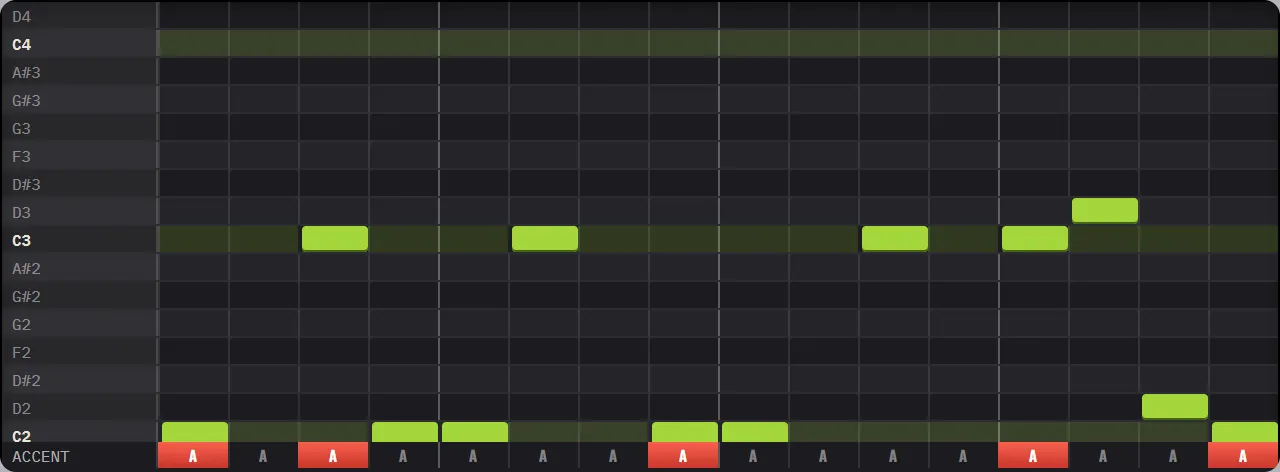
SING is a feature of AC 303, the bass synth in EASY RAVE, that listens to your voice through the microphone and writes what you sing as notes on its piano roll. It snaps each note to the key you chose, moves it into the bass range, turns louder notes into accents and close notes into slides. It runs free in your browser.
Most people can hum a bassline long before they can play one. SING skips the part where you need to find the notes on a keyboard.
How does SING turn your voice into notes?
When you press SING, EASY RAVE listens to your microphone and tracks the pitch of your voice while the loop plays. At the end of the take it turns what you sang into notes on the AC 303 piano roll:
- Pitch. Each note is snapped to the nearest note of the key you chose with ROOT and SCALE, so it is always in tune with the track.
- Range. Your voice is moved down into the bass register, so a hum at speaking pitch becomes a real bassline.
- Rhythm. Notes land on the 16th-note grid, and a note you hold becomes one long note instead of many short ones.
- Feel. Notes you sing louder become accents, and small steps between notes become slides.
The take is cut to whole bars, so it always loops cleanly. You can sing for as long as you like, up to the 64 bars a machine can hold.
How do you use SING?
- Open EASY RAVE and pick the key you want with ROOT and SCALE at the top.
- On BASS (AC 303), press SING on the tag line above the sequencer.
- Allow microphone access when the browser asks.
- Listen to the count-in clicks, then sing or hum your bassline. A click track keeps running while you sing.
- Press SING again to stop. Your notes appear on the piano roll and play back straight away.
Then edit like any other bassline: drag notes, add or remove accents and slides, and turn the knobs until it sounds the way you heard it in your head.
How do you get a clean take?
SING ignores breath and room noise, and it corrects the most common pitch tracking error (reading your voice an octave too high or too low). You will still get better results if you:
- Hum or sing "doo" or "da". Clear vowels with a soft start are easier to track than words.
- Sing short notes for a bassline. Leave a little gap between notes so each one is a separate step.
- Use headphones. The click and the music then stay out of the microphone.
- Stay close to the mic in a quiet room.
- Keep it simple. 4 or 5 different notes per bar make a better bassline than a full tune.
If a take comes out messy, just sing it again. Short takes of 1 or 2 bars are the easiest to get right.
What can you do with a sung bassline?
A sung line is a starting point. Some ideas:
- Copy the bar with + and change the second half for a call and answer.
- Turn RESONANCE and ENV MOD up and it becomes an acid line. Acid bassline patterns shows what makes one work.
- Press OCT + to move it up an octave for a lead-like riff.
- Switch the key afterwards: the notes follow ROOT and SCALE.
Want to play a melody without singing? THERE LEAD can follow your hand instead of your voice: see play a theremin with your webcam.
Frequently asked questions
Can I hum a melody and turn it into notes online?
Yes. In EASY RAVE, the SING key on the AC 303 bass listens to your microphone and writes what you sing or hum as notes on its piano roll, snapped to your chosen key. It is free and runs in your browser.
Does SING export MIDI?
No. SING writes the notes into EASY RAVE's own bass sequencer, where you can edit, play and record them. You can export the result as WAV or MP3 audio, or as an EASY RAVE project file.
Why does SING put my notes in the wrong octave?
SING deliberately moves your voice down into the bass range, and it corrects octave jumps by following the line you actually sang. If the whole line sits too high or low, use the OCT − and OCT + buttons to move it.