Start here
Free online drum machine
EASY RAVE is a free online drum machine that runs in your browser, with 3 kits inspired by the 909, the 808 and the LinnDrum. Click steps on a 16-step grid, or play the sounds live with your computer keyboard or a MIDI controller. There is nothing to download and no account to create.
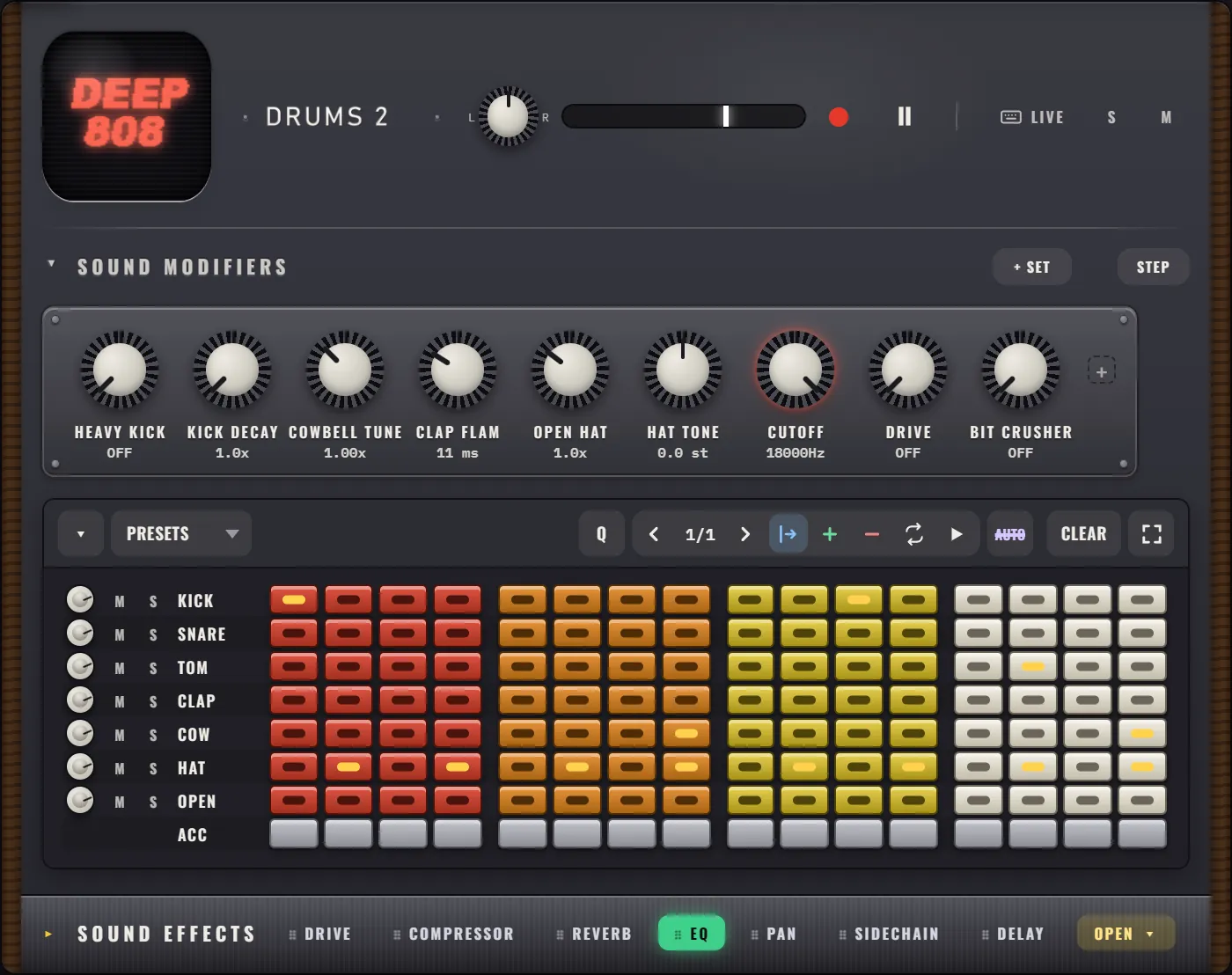
EASY RAVE opens in a browser tab with a beat already playing. Click a step, hear it change. That is the whole learning curve for the drums. New to it? Make your first beat takes 10 minutes.
What kits does the online drum machine have?
You get 3 complete drum machines, and they can all play at once:
| Machine | Inspired by | Sounds |
|---|---|---|
| HOUSE 909 | the 909, the house and techno drum machine | kick, snare, low tom, clap, closed hat, open hat, ride, crash |
| DEEP 808 | the 808, the boom of hip-hop and electro | kick, snare, low tom, clap, cowbell, closed hat, open hat |
| LinnBeats | the LinnDrum, the sampled kit of 80s pop | kick, snare, sidestick, clap, tambourine, conga, closed hat, open hat, cowbell, ride |
Each kit has its own SOUND MODIFIERS. On HOUSE 909 and DEEP 808 you can make the kick longer or heavier, tune the hats, change the clap and drive the drums. LinnBeats has a KIT TUNE knob that speeds up or slows down every sample at once, the classic trick for an 80s drum sound.
Not sure which to pick? 808 vs 909 vs 303 explains the difference.
How does the step sequencer work?
Each sound is a row and each bar has 16 steps, one per 16th note. Click a step to light it and it plays every time the loop passes. Each group of 4 steps is one beat.
A basic beat to start from
| 1 | 2 | 3 | 4 | 5 | 6 | 7 | 8 | 9 | 10 | 11 | 12 | 13 | 14 | 15 | 16 | |
|---|---|---|---|---|---|---|---|---|---|---|---|---|---|---|---|---|
| KICK | ||||||||||||||||
| SNARE | ||||||||||||||||
| HAT |
A few things make the grid more musical:
- Accents. Right-click a step (or use the ACC row) and that hit plays louder and snappier.
- Bars. Press + to add a bar, up to 64 per machine. The new bar starts as a copy, so you only change what should be different.
- Swing. The SWING knob next to the tempo pushes every other 16th note late for a shuffled groove.
- Fullscreen. The fullscreen button shows every bar of a machine at once, so you can edit a whole phrase.
What is a step sequencer goes deeper, and drum patterns for beginners gives you 8 beats to copy.
Can you play the drum machine with your keyboard?
Yes. Press LIVE on a drum machine's header and the number keys play its sounds, so you can finger drum on your computer keyboard. Press ● REC and you get a one bar count-in, then everything you play is written onto the grid.
With the song stopped, STEP record writes one hit per step as you press keys. And a MIDI keyboard or pad controller works too, in Chrome or Edge: open the settings (the gear icon) and press CONNECT MIDI. Play with your keyboard or MIDI has the details.
Is there more than drums?
The drum machines sit in a rack with 4 more instruments: an acid bass (AC 303), a chord synth (POLY-6), a lead synth (THERE LEAD) and a sampler (SAMPLE KING). Everything plays in time and in the same key, which is why EASY RAVE calls itself a groovebox and not just a drum machine.
Every machine has 7 built-in effects (drive, compressor, pan, reverb, EQ, sidechain and delay), and the LIVE FX bar adds DROP, STUTTER, LOOP and filter sweeps for performing.
How do you keep what you make?
Record it as a WAV or MP3 file, film it as a video with the sound, or export the whole project as one HTML file that plays in any browser, even offline. Your work also stays saved in this browser, and a free account adds online saving. See save, export and share.
Frequently asked questions
Is this online drum machine free?
Yes. EASY RAVE is free to use in your browser, with no download, no account and no time limit. All 3 drum kits, the effects and the audio export are included.
Which browser should I use?
Use a recent Chrome, Edge, Firefox or Safari on a computer. MIDI controllers need Chrome or Edge. A mouse with a scroll wheel makes the knobs easier to turn.
Can I make a drum loop and download it?
Yes. Click the red record circle in the transport, choose RECORD LOOP, set how many bars, and the loop is saved as a WAV or MP3 file you can use anywhere.